Usage Guide
This guide will help you get started with DecyphArr after installation.
Basic Setup
- Create your
config.jsonfile (see Configuration for details) - Start the DecyphArr service using Docker or binary
- Access the UI at
http://localhost:8282(or your configured host/port) - Connect your Arr applications (Sonarr, Radarr, etc.)
Connecting to Sonarr/Radarr
To connect DecyphArr to your Sonarr or Radarr instance:
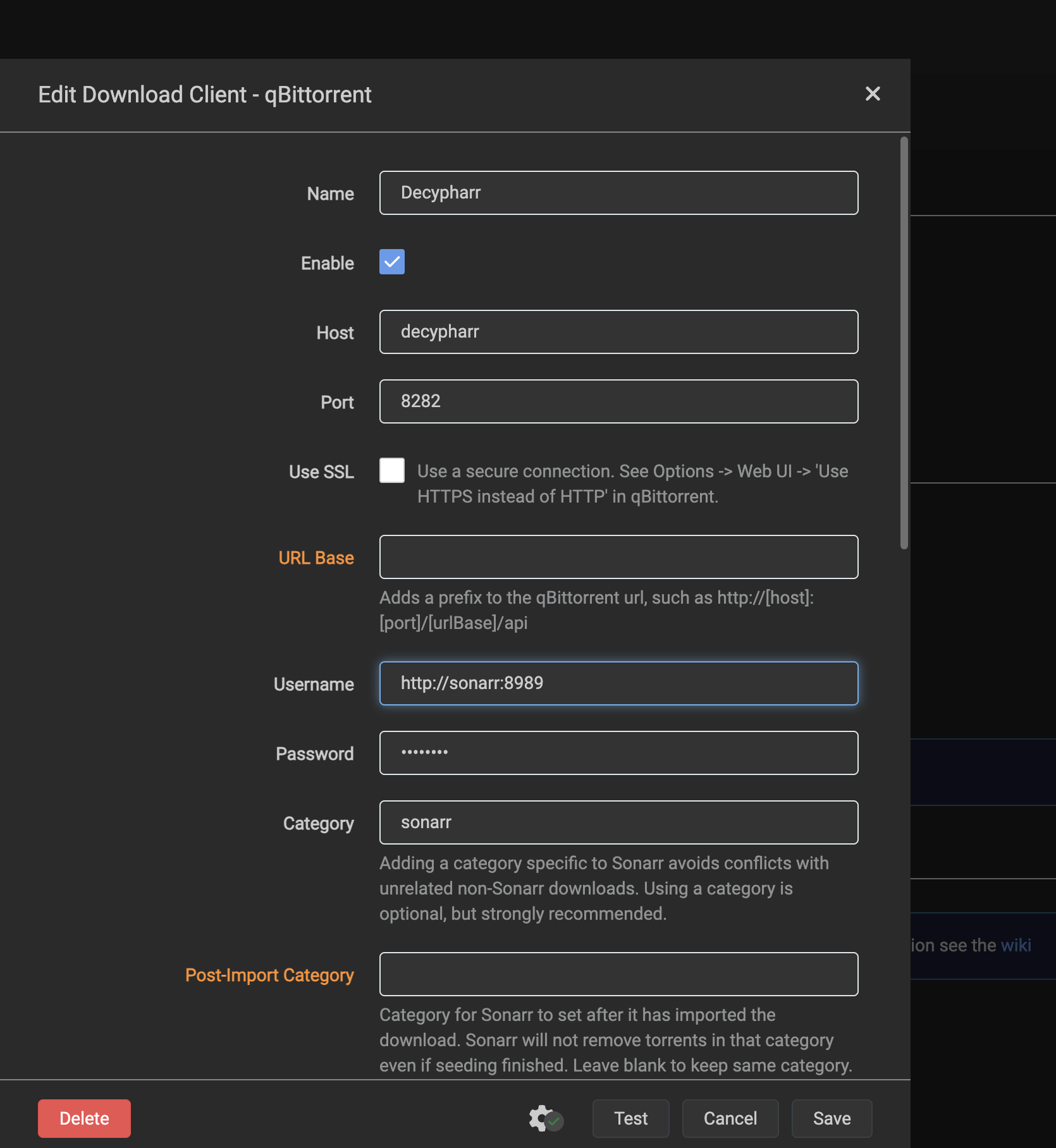
- In Sonarr/Radarr, go to Settings → Download Client → Add Client → qBittorrent
- Configure the following settings:
- Host:
localhost(or the IP of your DecyphArr server) - Port:
8282(or your configured qBittorrent port) - Username:
http://sonarr:8989(your Arr host with http/https) - Password:
sonarr_token(your Arr API token) - Category: e.g.,
sonarr,radarr(match what you configured in DecyphArr) - Use SSL:
No - Sequential Download:
NoorYes(if you want to download torrents locally instead of symlink) - Click Test to verify the connection
- Click Save to add the download client
Using the UI
The DecyphArr UI provides a familiar qBittorrent-like interface with additional features for Debrid services:
- View and manage all your torrents
- Monitor download status
- Check cache status across different Debrid providers
- Access WebDAV functionality
Access the UI at http://localhost:8282 or your configured host/port.